Bible Homescreen - Read Now
- 4.6
- Rating
- 100.00K
- Installs
- Free
- Price

 Analysis by App-foxy
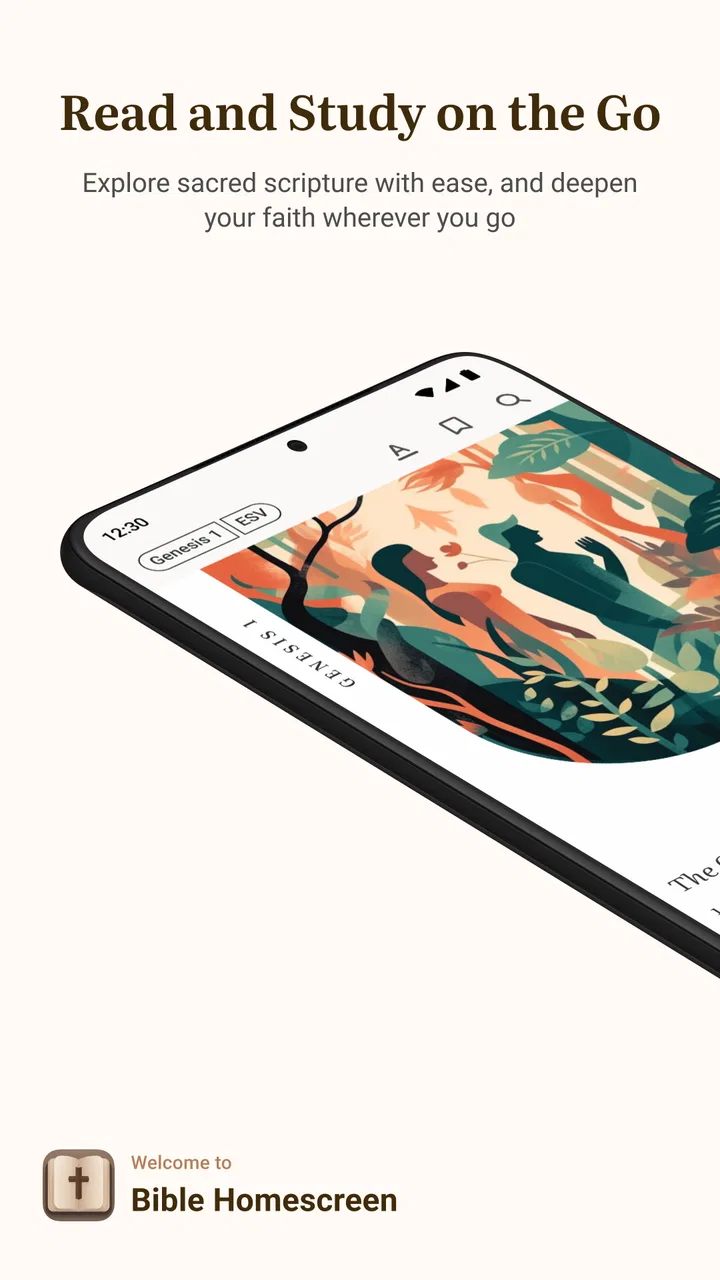
I approached Bible Homescreen - Read Now as a reading tool rather than another general Bible library. Its defining idea is simple: bring Bible reading into the place I already visit constantly, the phone’s home screen. That change sounds small, but it affects how I begin a reading session. Instead of opening a dedicated app only when I have already decided to study, the Bible becomes part of the visual rhythm of using the phone.
That makes this a particularly interesting Bible app for people who want regular reminders without building a complicated devotional routine. Developed by Homescreen Apps, it sits in the Books & Reference category and is free to install, although optional in-app purchases range from $1.99 to $12.99 per item. The app is rated for Everyone 10+, and its current version is 1.5.12.
In my experience, the strongest reason to try it is not that it replaces every traditional Bible-reading option. It does not need to. Its value comes from making Scripture easier to encounter during ordinary moments: while checking the time, unlocking the phone, or deciding what to do next. The home screen becomes the starting point, not merely a shortcut.
You May Also Like

 Blood Strike: 2.5 Anniversary
Blood Strike’s Loadouts Turn Every Drop Into a Tactical Gamble
A close look at Blood Strike’s custom loadouts: how fast access to signature weapons reshapes its battle royale rhythm, rewards preparation, and narrows the gap between fights.

 Pandora - Music & Podcasts
Pandora’s Music Is Easy to Start, but Harder to Recover
Pandora’s strength is its low-effort path from a seed to a station. Its weak spot is how much confidence it asks you to place in connection, setup, and quiet recovery.

 8 Ball Pool
8 Ball Pool Is Built on Rivalries, Rematches, and Routine
A close look at the rivalries, rematches, shared routines, and unanswered safety questions that turn a quick pool match into a persistent mobile community.

 Samsung Music
Samsung Music’s Quiet Strength Is Playing What You Already Own
Its reach comes less from spectacle than from dependable access to a personal library. That simplicity is both the app’s strongest retention engine and its ceiling.

 AccuWeather: Weather Radar
AccuWeather Review: A Quick, Clear Forecast for Everyday Decisions
For everyday plans, the best forecast is the one you can understand quickly. AccuWeather makes rain timing, radar, and local conditions easy to act on, with a few trade-offs.

 Hill Climb Racing
Why Hill Climb Racing Still Turns Crashes Into One More Run
A tiny car, a bumpy hill and one more upgrade: Hill Climb Racing keeps resurfacing because its simple chaos makes every near-miss feel personal.
More From Our News Desk



How the homescreen reading idea changes daily use
I find the homescreen approach most useful when I treat it as a doorway, not a complete reading plan: a brief glance can become a longer pause if a passage catches my attention. That small distinction helps me decide whether this format suits my habits before I build a routine around it. It also raises a practical question: what happens when the phone’s connection is inconsistent?
A Bible presence that fits into an existing habit
Most Bible apps depend on a deliberate action. I have to remember to open one, choose a reading area, and give it enough attention to begin. Bible Homescreen - Read Now takes a different route by placing the reading experience closer to the first screen I see. That is the app’s central capability, and it is more useful for consistency than for deep study.
The distinction matters. A full-featured Bible application is usually designed around searching, comparing passages, following plans, listening, bookmarking, and moving through large collections. This app’s homescreen focus feels more like a gentle prompt. It can help me pause before getting pulled into messages, social feeds, or work notifications. For someone who wants a small daily point of contact with the Bible, that reduced distance is the main attraction.
I also found that the format encourages shorter encounters. I do not necessarily sit down for a long session every time I see the reading prompt. Sometimes the useful result is simply noticing a passage and returning to it later. That makes the app suitable for people who struggle with all-or-nothing routines, where missing a long study session can make them abandon the habit altogether.
Why the placement matters more than another reminder
There is a difference between a notification that interrupts me and a home-screen element that I notice while doing something else. Notifications can be dismissed quickly and then forgotten. A homescreen Bible experience is quieter. It stays connected to the device’s normal interface, so it can become part of the background rather than another alert competing for attention.
That subtlety is also a trade-off. If I want a forceful reminder at a particular time, a conventional devotional schedule or calendar reminder may be more effective. Bible Homescreen - Read Now is better suited to creating repeated exposure throughout the day. It works best when I want the opportunity to read to remain visible without turning the practice into a rigid appointment.
One practical tip is to place the app’s reading access where I naturally look rather than hiding it among rarely used applications. The point is not to create a decorative setup. The point is to reduce the number of decisions between seeing the phone and reading a passage. If I bury the feature in a folder, I lose much of the benefit that makes this app different from a standard Bible reader.
What I would use it for, and what I would not
I would use this app for a short morning reflection, a pause during a work break, or a reminder to return to a verse I want to think about. I would also recommend it to someone who has good intentions but rarely remembers to open a Bible app. The homescreen approach addresses that exact problem by changing the starting point.
I would not make it my only tool for detailed study. When I am comparing translations, tracing a theme across several books, or looking for a particular verse, I prefer a conventional Bible app with more visible research tools. A dedicated study platform is usually more efficient for that kind of work because its entire interface is built around navigation and reference.
This is an important distinction for potential users: the app’s strength is behavioral, not scholarly. It helps create contact with the text. It is less compelling if the main reason for downloading a Bible app is advanced search, extensive notes, or a broad collection of study resources.
A realistic everyday routine
Imagine starting a weekday morning with only a few minutes before leaving home. I might unlock the phone to check the weather, notice the Bible reading on the home screen, and read it before opening email. That session may last less than a minute, but it gives the day a different first thought. Later, during lunch, I might return to the same reading and consider how it applies to a decision I am facing.
In that scenario, the app is not competing with a long devotional book. It is helping me use a moment that would otherwise disappear into scrolling. The benefit comes from the repeated doorway. I do not need to remember a specific chapter, plan, or search term before beginning.
A second useful routine is for families or friends who want a shared prompt without requiring everyone to follow an elaborate plan. One person can notice the reading during the day and bring it into a conversation later. The app does not need to manage the entire discussion to be useful; it can simply provide a common starting point.
Where the experience can feel limited
The same simplicity that makes the homescreen concept approachable may feel restrictive for experienced Bible readers. If I already have a carefully organized reading plan, extensive highlights, and a preferred study workflow, this app may feel like an additional layer rather than a replacement. Its purpose is clearest when I want visibility and immediacy, not when I want a complete personal archive.
There is also a psychological limitation. Seeing a Bible reading does not automatically produce meaningful reflection. I can just as easily glance at it and continue with the rest of the phone. The feature lowers friction, but I still need to choose whether to slow down. I think that honesty is important: this is a habit aid, not a guarantee of attention.
People who dislike changing their phone layout may also find the concept less appealing. The homescreen is personal space, and some users prefer a very minimal arrangement. In that case, a regular Bible app with a manually chosen reminder might fit better. The right choice depends on whether visibility feels helpful or intrusive.
Free access and the question of optional purchases
The app is free, which makes experimenting with its central idea relatively easy. I can see whether a homescreen-centered approach fits my routine before committing to it as a daily tool. Optional purchases are available, priced from $1.99 to $12.99 per item, so anyone considering them should first decide whether the basic reading habit already solves the problem they had.
My advice is to evaluate the app by its core behavior rather than by assuming that extra purchases are necessary. If the homescreen presence helps me read more consistently, the free starting point has already demonstrated its value. If I am looking for advanced research capabilities, spending more may not address that need, because the central appeal remains the reading prompt and easy access rather than a specialist study environment.
Device compatibility and getting started
The app requires at least Android 9, so it is accessible on many relatively recent Android phones while older devices may not qualify. After installing it, I would give myself a few days to judge the placement honestly. The first impression can be misleading because the feature becomes more useful once it is integrated into the way I normally unlock and check the phone.
I would also avoid placing it somewhere I never look. A homescreen tool only works when it is visible enough to be noticed naturally. At the same time, I would not treat it as a demand to read every time I touch the phone. The healthiest approach is to see it as an invitation: when I have a spare moment, I can use that moment intentionally.
How it compares with ordinary Bible apps
A conventional Bible app is usually the better choice for someone who begins with a question. I can open it and search for a word, passage, book, or topic, then move through related material. That approach is efficient and powerful, especially for study, teaching preparation, or checking a reference.
Bible Homescreen - Read Now is better when I begin with a desire for a prompt. It puts discovery before searching. Rather than asking what I want to look up, it encourages me to notice what is already in front of me. That makes it feel closer to a daily reading companion than a digital concordance.
There is room for both types of app on the same phone. I could use this one to establish a regular point of contact and keep a more traditional Bible application for deeper sessions. That combination makes sense for readers who want the convenience of a homescreen reminder without giving up the research tools they use occasionally.
Who benefits most from this design
The best match is someone who wants Bible reading to become more visible in daily life. This includes beginners who feel overwhelmed by large Bible apps, returning readers who have lost consistency, and busy people who prefer several short moments over one demanding session. The app’s focused design can make the first step feel less intimidating.
It may also suit readers who do not want a heavily structured plan. Some people are motivated by a fixed schedule, while others respond better to an open invitation. The homescreen format supports the second group. It leaves room for spontaneous reading and reflection instead of making the experience feel like another task to complete.
On the other hand, I would point advanced students, pastors, and readers who depend on detailed cross-references toward a more comprehensive Bible platform. They may still appreciate this app as a reminder, but they should not choose it expecting the same depth as a dedicated study suite. The central feature is intentionally narrow, and that focus is both its identity and its boundary.
My recommendation after using the core idea
With an average rating of 4.6 from around 3.9 thousand ratings and more than 100 thousand installs, Bible Homescreen - Read Now has found a clear audience. Those figures do not change my personal assessment, but they fit what I experienced: the app is easy to understand because it concentrates on one meaningful idea instead of trying to be every kind of Bible tool at once.
Homescreen Apps has built something most useful for habit formation. I like it because it turns an ordinary phone check into a possible reading moment without requiring a complicated setup or a long session. Its limitations are equally clear: it is not the strongest choice for intensive study, extensive organization, or users who prefer their home screen to remain completely uncluttered.
My final recommendation is straightforward. If you want a Bible app that meets you during the small gaps of the day, this is worth trying. Keep it visible, give the routine several days to settle, and judge it by whether you actually read more often. If your priority is deep research, use a traditional Bible app instead or alongside it. For readers seeking a gentle, persistent reminder of Scripture, Bible Homescreen - Read Now offers a focused approach that can make regular reading feel much easier to begin.
FAQs for Bible Homescreen - Read Now
01What is Bible Homescreen - Read Now, and how does it work?
Bible Homescreen - Read Now is designed to make Bible reading part of your daily phone routine. After installation, it can display Bible verses or devotional content directly through a home-screen widget or related shortcut, depending on your device settings. It is useful for users who want quick access to Scripture without opening a full Bible app every time.
02Can I choose the Bible translation, reading language, or displayed verses?
Available customization options may vary according to the app version, operating system, and the content provided by the developer. Before downloading, users should check whether their preferred translation and language are supported. Some versions may allow you to adjust the verse display, while others may focus on delivering a simple daily Scripture experience with limited personalization.
03Does Bible Homescreen - Read Now require an internet connection?
The app may need an internet connection during setup, content synchronization, updates, or when loading new verses and devotional material. Previously displayed content could remain available through caching, but offline access should not be assumed unless it is clearly mentioned in the app listing. If you plan to use it while traveling, verify its offline capabilities first.
04Is Bible Homescreen - Read Now free to download and use?
Bible Homescreen - Read Now may be available as a free download, although the exact pricing model can depend on the platform and current version. Some features, content, or customization options may include advertising, optional purchases, or subscription elements. Review the Google Play Store or Apple App Store listing carefully to confirm costs before installing.
05What permissions and privacy considerations should I know about?
Because the app is intended to provide home-screen Bible content, it may request permissions or system access related to widgets, notifications, background updates, or displaying information on your device. These permissions can support its main features, but you should review the privacy policy and store disclosures before granting access. Avoid enabling permissions that seem unrelated to Bible reading.
Pros
- Quick access to Bible reading from the home screen
- Clean
- distraction-free design for daily scripture moments
- Useful for building a consistent reading habit
- Lightweight app with a simple setup process
- Suitable for users who prefer faith-based home screen tools
Cons
- Limited appeal for users who do not regularly read the Bible
- Home screen features may depend on launcher permissions
- Customization options may feel basic compared with widget apps
- Frequent reminders could become distracting for some users
- Some features may require an internet connection

Bible Homescreen - Read Now
Gallery